
Construction and project documents
AI Construction Document Analysis: Review Contracts, Specifications, and Change Orders
Upload a construction contract, specification, RFI, or change order and ask questions about it in plain English. LearnByAi finds the scope, payment terms, penalty clauses, and technical requirements in the text of your documents, so you spend less time searching binders and PDFs. It does not replace professional review.
- No account required to start
- Delete anytime
- Scanned documents supported
Last updated

What is AI construction document analysis?
AI construction document analysis means using artificial intelligence to read your project documents and answer questions about them. Instead of paging through a 300-page specification to find the concrete mix, or hunting through a contract for the liquidated damages rate, you ask a question and get an answer in plain language, based on the passages that matter.
LearnByAi does this with retrieval. Your documents are split into sections and indexed, and each question is matched against the most relevant passages before an answer is written. That keeps answers tied to your actual documents. It explains what the documents say. It does not interpret drawings, and it can still make mistakes, so check the passages it relies on.
Which construction documents can you analyze with AI?
You can upload most of the text-based documents a project produces, including:
- Construction contracts
- Scope-of-work documents
- Project specifications
- RFIs (requests for information)
- Submittals
- Change orders
- Variation orders
- Bid documents and tender packages
- Subcontractor agreements
- Meeting minutes
- Progress reports
- Schedules and programme narratives
Supported files: PDF, DOCX, XLSX, and TXT files, plus JPG, PNG, and TIFF images. Scanned PDFs and photos of documents are processed automatically with OCR so you can search and ask questions about their text.
How to review a construction document with AI in four steps
You do not need to prepare the file or learn special commands first.
- Upload your documents. Add a PDF, Word file, spreadsheet, or a scan. Scanned pages are read with OCR automatically.
- Ask a question. Type it the way you would ask a colleague, for example “What work is excluded from my scope?”
- Read the answer and check the source. Answers are based on passages from your documents, and clause numbers appear in the answer when the document has them. Check the original wording.
- Follow up or compare. Ask follow-up questions, or upload a change order next to the contract and ask what changed.
What you can do with LearnByAi on project documents
Every answer is based on the documents you uploaded.
Extract the scope of work
- Identify what work is included and what is excluded.
- Surface trade-specific obligations from dense specification language.
- Look for scope gaps and overlaps before you submit a bid or start work.
Try asking: “What work is explicitly excluded from my scope?”
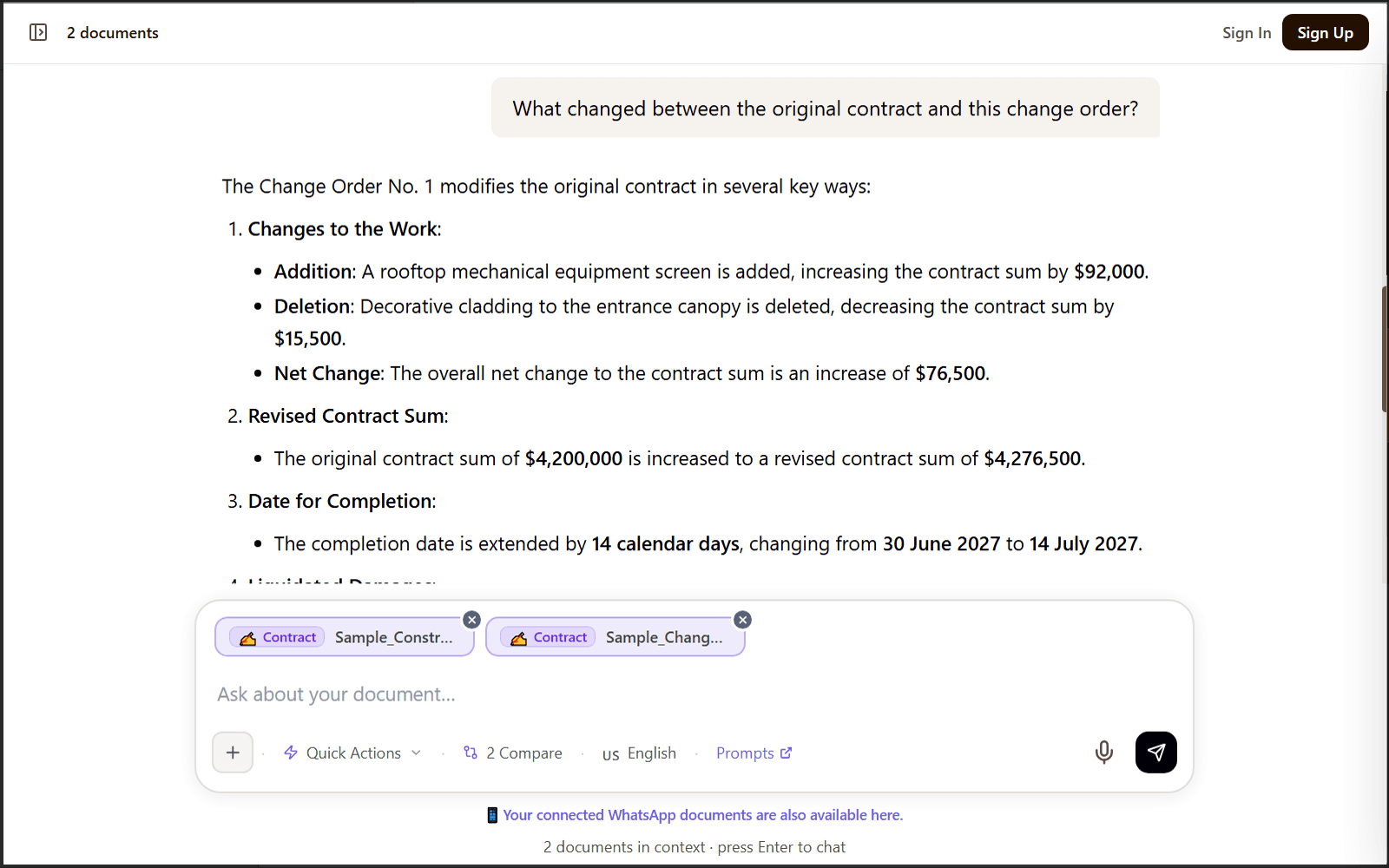
Track change orders and variations
- Compare a change order with the original contract.
- Identify cost impacts and timeline adjustments.
- Flag terms that conflict across contract versions.
Try asking: “What changed between the original contract and this change order?”
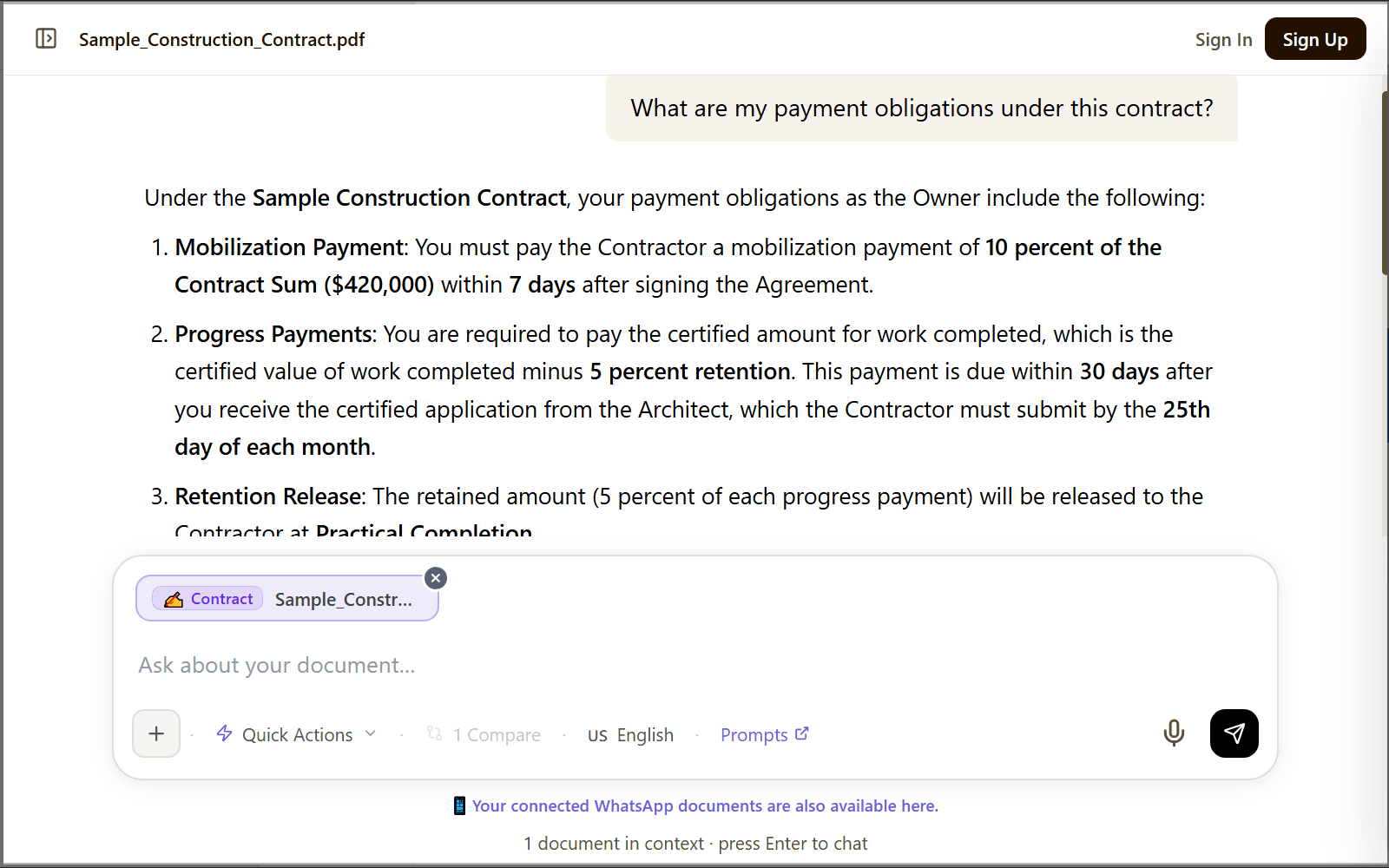
Find penalty, payment, and risk clauses
- Surface liquidated damages rates and delay penalty clauses.
- List payment milestones, retention, and notice requirements.
- Find performance bond, insurance, indemnity, and liability terms.
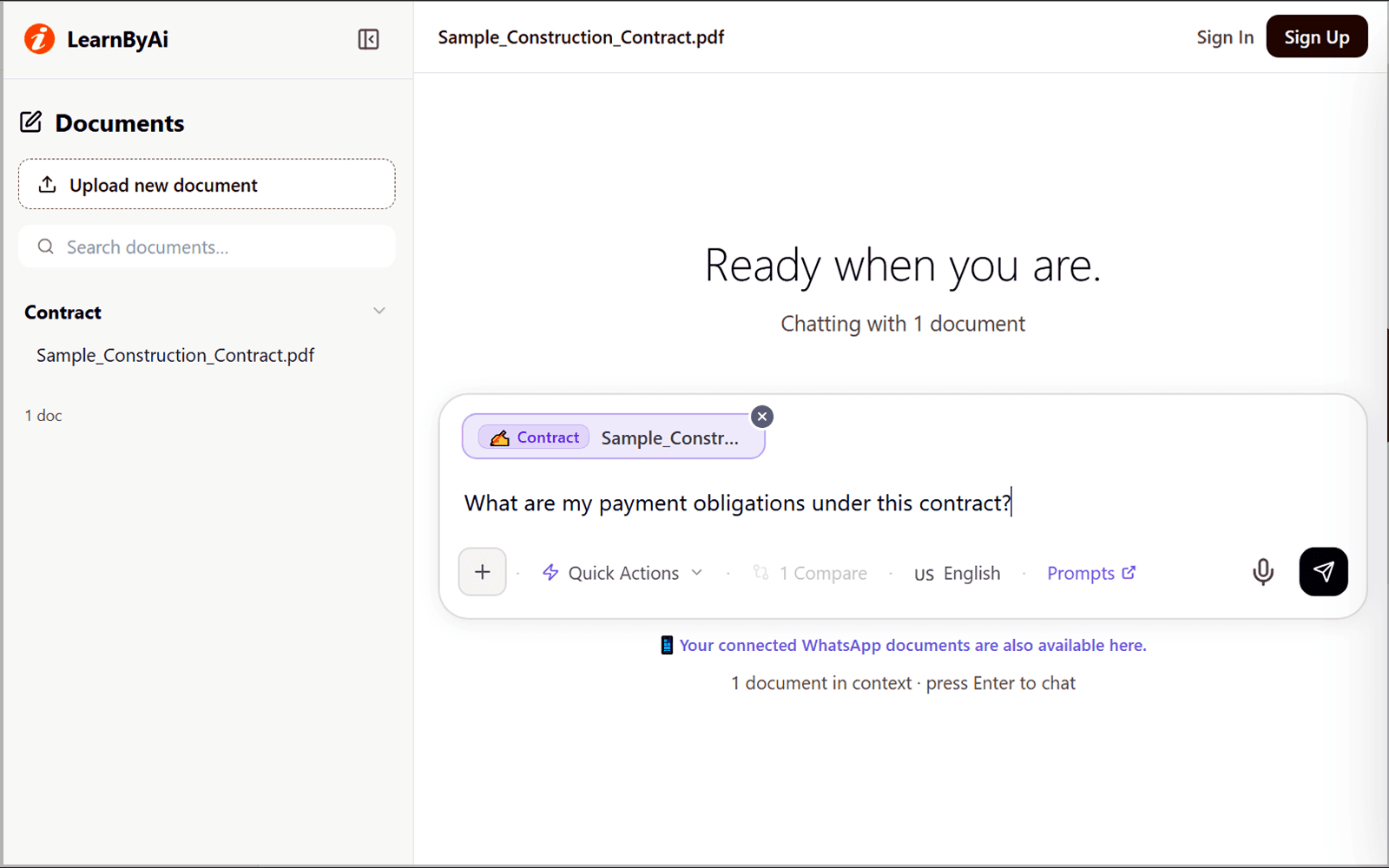
Try asking: “What are my payment obligations under this contract?”
Look up technical specifications
- Find a material or finish requirement without scrolling through hundreds of pages.
- See the division codes and product standard references your specification gives.
- Ask what a trade term in your document means in context.
Try asking: “What concrete mix is specified for the foundation slab?”
Cross-reference RFIs and submittals
- Upload RFI responses alongside the specification to see which method was clarified.
- Keep track of approved substitutions and design clarifications.
- Compare what a submittal says with what the specification requires.
Try asking: “Does this submittal match the paint specification?”
Example: asking about payment obligations
This is an illustrative example based on a fictional construction contract. The amounts, clause numbers, and page numbers are invented for demonstration.
Question: What are my payment obligations under this contract?
Based on the uploaded contract, here are the payment terms and penalties.
Payment schedule
- Mobilization payment: 10 percent, due within 7 days of contract execution.
- Progress payments: monthly, based on certified work completed.
- Retention: 5 percent withheld until practical completion.
Penalties
- Liquidated damages: $1,500 per day for delay past the completion date (Clause 14.3).
- Late payment by the owner: 1.5 percent monthly interest after 30 days.
Note: Rates, dates, and clause numbers in your own contract will differ. Check the clauses the answer points to before you rely on it.
Source: Clauses 12.1, 12.4, and 14.3, pages 18 to 21 of the uploaded sample contract.
Questions to ask when you review construction documents with AI
These are starting points. You can ask anything about your documents.
- What work is explicitly excluded from my scope?
- Summarize the liquidated damages clause.
- List all payment milestones and their due dates.
- What are the notice requirements if I need to submit a claim?
- Identify any performance bond or insurance requirements.
- What changed between the original contract and this change order?
- What concrete mix is specified for the foundation slab?
- What paint finish is required for interior walls?
- Which approved substitutions are recorded in these RFIs?
- Summarize all penalty clauses in this contract.
Looking for more? Browse our AI prompts for technical and project documents: 11 ready-to-use questions for scope, requirements, deliverables, standards, acceptance criteria, risks, and change control, which you can send to the chat in one click.
Who can use AI to review construction documents?
Anyone who has to read and act on project paperwork, including:
- General contractors. Review contracts before signing, and look for penalty clauses and scope exclusions before they cost you.
- Project managers. Find answers for the site team quickly by querying the specification and the contract.
- Subcontractors. Understand what your package covers, and look for overlaps and gaps before work begins.
- Quantity surveyors. Compare change orders with the original scope, and track variations and their cost implications.
- Property owners. Understand what you are paying for by reading contractor proposals and construction contracts in plain English.
- Freelance builders. Check client-provided scope documents for undefined responsibilities and unusual terms before work starts.
What AI construction document analysis can and cannot do
AI is a fast way to find and understand text in your documents. It is not a substitute for professional review.
- LearnByAi is a document analysis tool, not a law firm or an engineering firm. It does not give legal or engineering advice.
- It does not interpret drawings, dimensions, or symbols. Check anything that depends on a drawing against the drawing itself.
- AI can misread or miss details. Check important answers, such as rates, dates, and technical requirements, against the original document.
- Do not use it as the only check for structural, safety, or building code decisions. Have a qualified professional confirm.
- Scanned documents depend on scan quality. Blurry or skewed pages may be read incorrectly.
- For binding contracts, claims, or disputes, have a qualified lawyer review the documents.
Privacy for contracts and tender documents
Project documents are often confidential. If a document is covered by a confidentiality agreement, check that you are allowed to upload it. This is how LearnByAi handles uploaded documents:
- Each document is accessible only from your own session or account, and other users cannot open it.
- Your documents are sent to our AI provider only to generate answers. How that data is handled is described in our Privacy Policy.
- Anonymous-session documents are cleaned up automatically once the session goes idle.
- You can delete a document manually at any time.
For the full details, read our Privacy Policy and Security page.
Free to start, pay as you go
Free allowance: 10 logical pages and 10 messages per day with no account, or 30 logical pages and 15 messages per day with a free account.
If you need more, add funds to a pay-as-you-go wallet. There is no subscription.
Frequently asked questions
What file types can I upload for construction documents?
PDF, DOCX, XLSX, and TXT files, plus JPG, PNG, and TIFF images. Scanned PDFs and photos of documents are processed automatically with OCR so you can search and ask questions about their text.
Can LearnByAi read construction drawing PDFs?
LearnByAi works best with text-based documents such as specifications, contracts, and RFI logs. Drawings are mostly graphic, and the tool does not interpret lines, dimensions, or symbols. Text that is part of a drawing set, such as notes, schedules, and title blocks, can be read when it is machine-readable or when OCR can recognize it. Check anything important against the drawing itself.
How does LearnByAi handle technical construction terminology?
Answers are based on passages retrieved from your uploaded document, so the terms, division codes, and standard references in your own specification are what the answer works from. AI can still misread or confuse terms, so check technical details against the original text.
Can I upload multiple project documents and query them together?
Yes. Upload your contract, specification, and change orders together, then ask cross-document questions like “does this change order affect the liquidated damages clause in the main contract?” Check the answer against both documents.
Can AI compare a change order with the original contract?
Yes. Upload both documents, select them together, and ask what changed. The AI lists added, removed, and revised terms so you can review cost and time impacts. A change order often interacts with other contract clauses, so read the clauses it points to.
Is this useful for international construction projects?
Yes. You can upload documents written in many languages, and you can choose the response language in the chat, up to 50 languages. Accuracy can vary by language and by scan quality, so check important terms against the original.
How is this different from searching a PDF with Ctrl+F?
Ctrl+F finds exact text matches. LearnByAi matches your question to the most relevant passages, so a question like “what are my payment obligations?” can find payment terms even if the word “obligation” never appears. It can also answer across several documents at once. You should still read the passages it relies on.
Can AI check whether a submittal complies with the specification?
It can compare what a submittal says with what the specification says and point out differences. It cannot verify the product itself, the standards it claims to meet, or building code compliance. Do not use it as the only check for structural, safety, or compliance decisions. Have a qualified professional confirm.
Is this legal or engineering advice?
No. LearnByAi is a document analysis tool, not a law firm or an engineering firm. It explains what your documents say. For binding contracts, disputes, or technical sign-off, consult a qualified lawyer, engineer, or quantity surveyor.
Are my tender documents and contracts kept confidential?
Each document is accessible only from your own session or account, and other users cannot open it. Your documents are sent to our AI provider only to generate answers. How that data is handled is described in our Privacy Policy. Anonymous-session documents are cleaned up automatically once the session goes idle. You can also delete a document yourself at any time. If a document is covered by a confidentiality agreement, check that you are allowed to upload it first.
Can I try AI construction document analysis for free?
No account required to use LearnByAi. Free allowance: 10 logical pages and 10 messages per day without signing in, or 30 logical pages and 15 messages per day with a free account. Add funds to your wallet to pay as you go.
Review your project documents with AI
Upload a contract, specification, or change order and ask your first question. No account is needed to start.
Analyze a project documentAI analysis for other document types
- General Document: Chat with any PDF, Office file, or scanned document
- Legal / Contract: AI-powered contract and legal document review
- Medical / Health: Analyze medical reports and health records
- Academic / Study: Study assistant for research papers and coursework
- HR / Employment: HR and employment document analysis
- Finance / Accounting: Financial statement and report analysis