
General documents: reports, manuals, proposals, and more
Chat With Any PDF or Document Using AI: Ask Questions and Get Answers From Your Own Files
Upload a PDF, Word file, spreadsheet, or scanned document and ask questions about it in plain English. LearnByAi finds the relevant passages in your file and writes an answer, so you can summarize a long report, look up a rule in a manual, or pull the decisions out of meeting notes without reading every page. It can make mistakes, so check important answers against the original.
- No account required to start
- Delete anytime
- Scanned documents supported
Last updated

What is AI document chat?
AI document chat means asking questions about a file you uploaded and getting answers written in plain language. Instead of scrolling through a 120-page report to find the recommendations, or searching a manual for one setting, you type the question and read the answer.
LearnByAi does this with retrieval. Your document is split into sections and indexed, and each question is matched against the most relevant passages before an answer is written. That keeps the answer tied to your own file instead of general knowledge from the web. It can still make mistakes, so check the passages it relies on.
Which documents can you chat with using AI?
You can upload most text-based documents, including:
- Reports and whitepapers
- Business proposals and RFPs
- User manuals and guides
- Policy and compliance documents
- Meeting notes and transcripts
- Research papers
- eBooks and long-form guides
- Presentations exported as PDF
- Spreadsheets
- Scanned PDFs and photographed pages
- Documents in other languages
- Articles and newsletters saved as PDF
Supported files: PDF, DOCX, XLSX, and TXT files, plus JPG, PNG, and TIFF images. Scanned PDFs and photos of documents are processed automatically with OCR so you can search and ask questions about their text.
How to chat with a PDF or document using AI in four steps
You do not need to prepare the file or learn special commands first.
- Upload your document. Add a PDF, Word file, spreadsheet, text file, or a scan. Scanned pages are read with OCR automatically.
- Ask a question. Type it the way you would ask a colleague, for example “What are the key findings in this report?”
- Read the answer and check the source. Answers are based on passages from your document, and the source file is shown with the answer. Check the original wording for anything important.
- Follow up or add more documents. Ask follow-up questions, or add a second document of the same type and ask the AI to compare them.
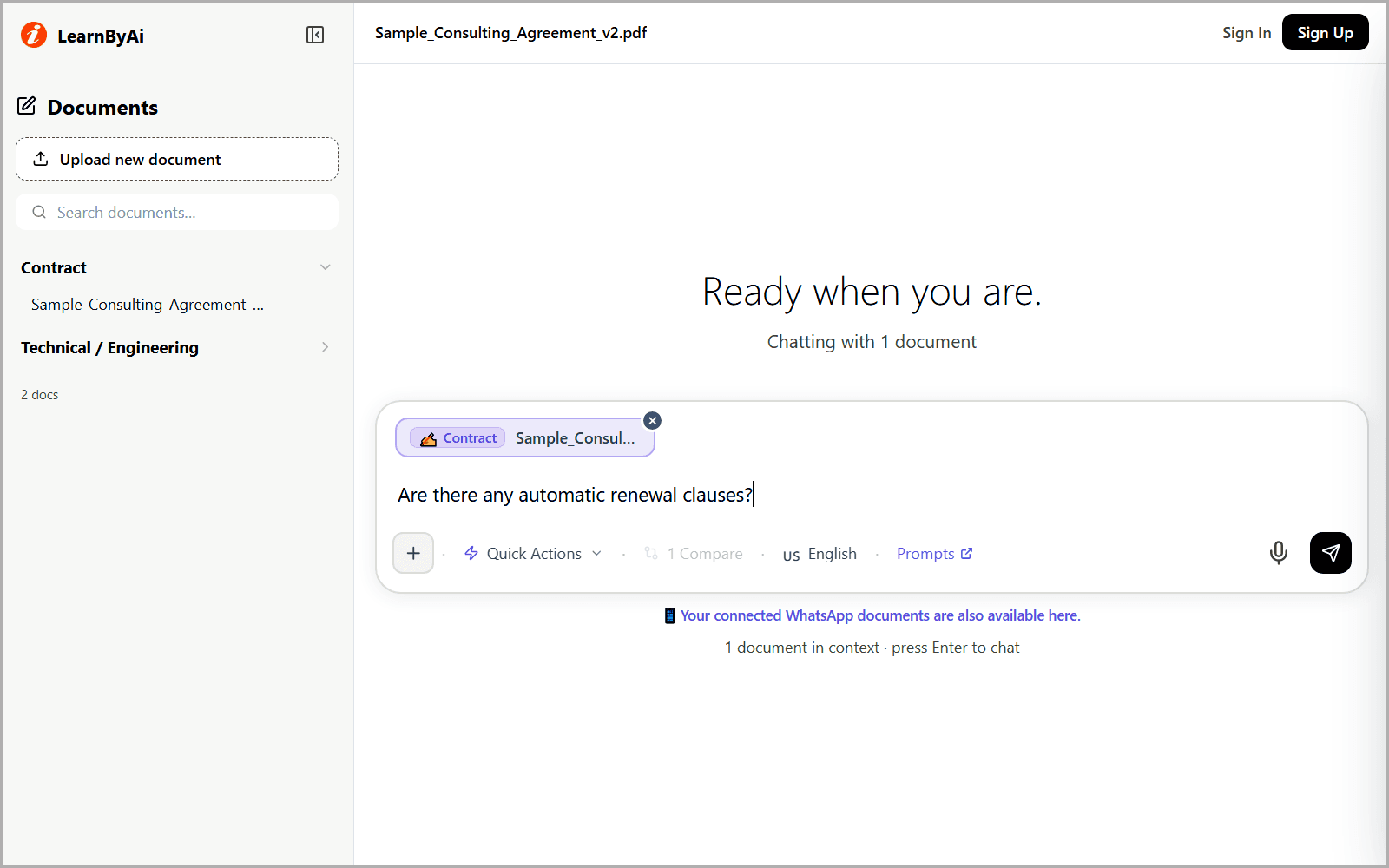
What you can do when you chat with a document using AI
Every answer is based on the documents you uploaded.
Ask questions in plain English
- Ask about any detail in the document without searching for exact keywords.
- The AI retrieves the most relevant passages before it writes an answer.
- Ask follow-up questions to dig into one point.
Try asking: “What are the key findings in this report?”
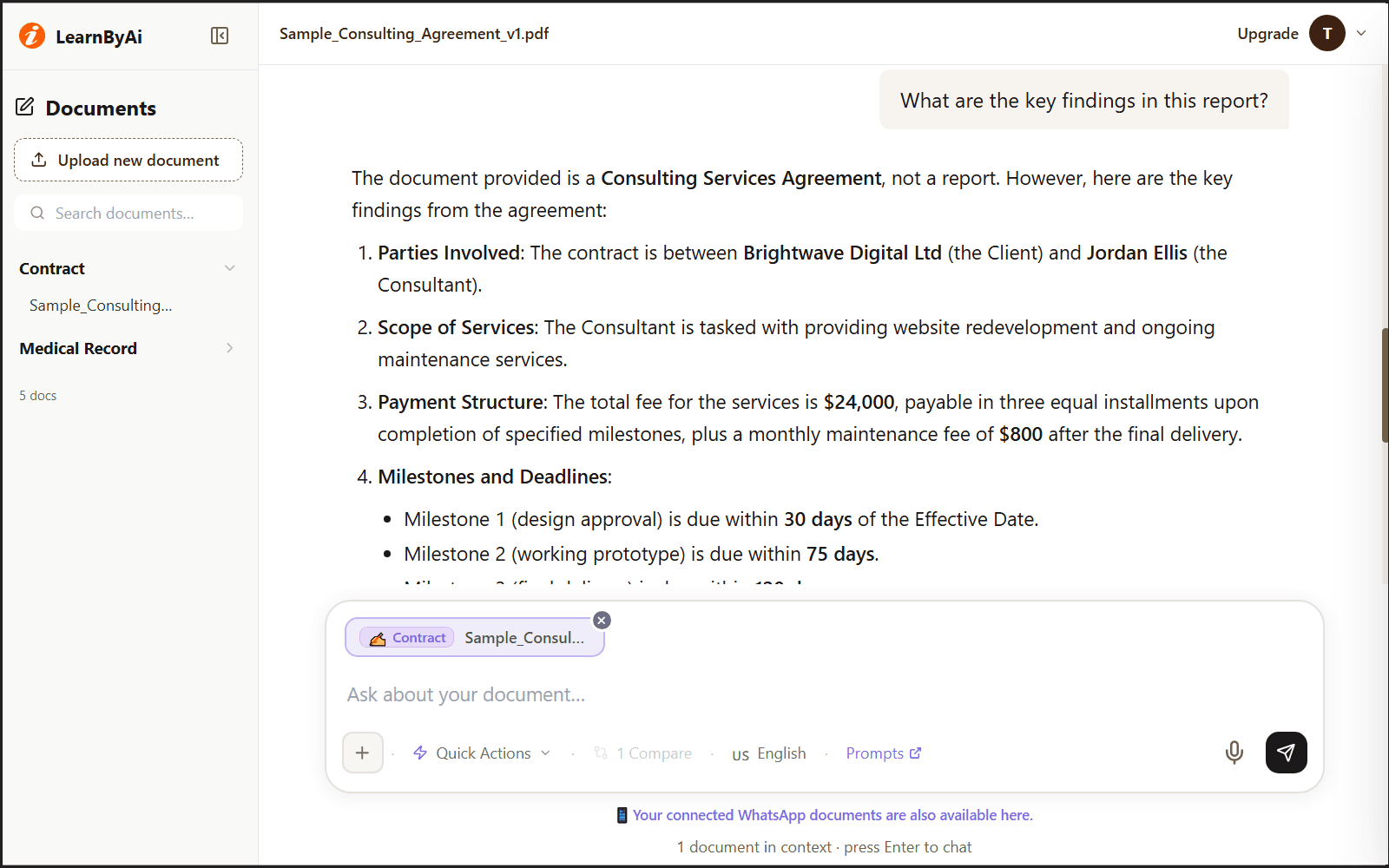
Summarize a long document
- Ask for a one-paragraph summary or a short list of bullet points.
- Understand a long report quickly before you decide what to read in full.
- Ask for a summary of one section when you need more detail.
Try asking: “Summarize this document in three bullet points.”
Find answers in manuals and policies
- Ask a user manual or internal guide a direct question instead of searching hundreds of pages.
- Check which rule, exemption, or procedure in a policy relates to your situation.
- Read the passage the answer is based on before you act on it.
Try asking: “Does this policy apply to my situation?”
Pull decisions and action items from meeting notes
- Upload a transcript or notes and ask what was decided.
- List the action items, who owns each one, and any deadline.
- Skip the scrolling through long notes.
Try asking: “What decisions were made in this meeting, and who owns each action item?”
Compare documents of the same type
- Add two or more documents and ask what differs between them.
- Compare prices, timelines, or terms from several proposals side by side.
- Look for changes between two versions of the same document.
Try asking: “Compare the pricing sections of these two proposals.”
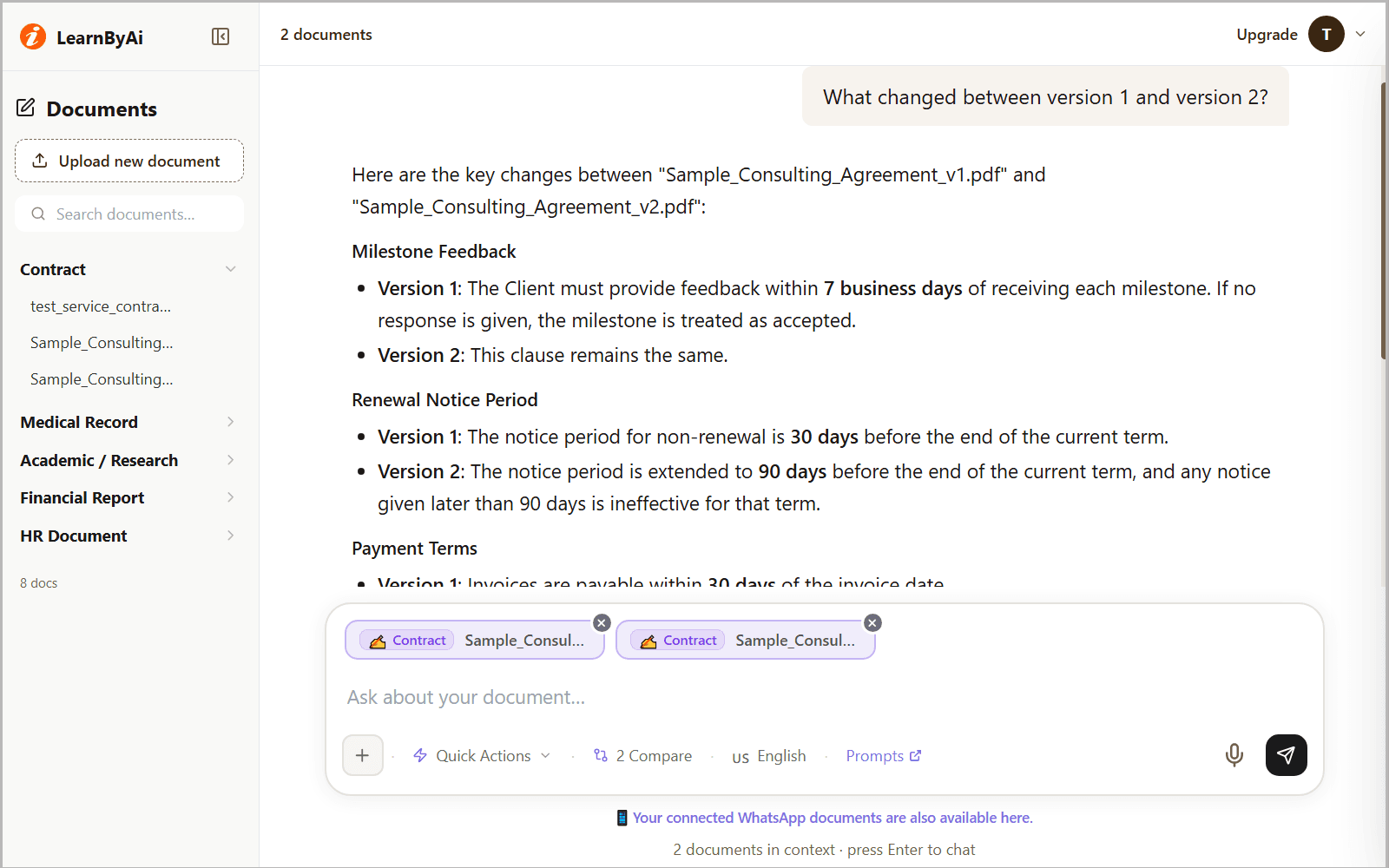
Read documents in other languages
- Upload documents written in many languages.
- Choose the response language in the chat, up to 50 languages.
- Accuracy can vary by language, so check important terms against the original.
Try asking: “Translate the conclusion of this document into English.”
Example: summarizing a report
This is an illustrative example based on a fictional report. The figures and page numbers are invented for demonstration.
Question: Can you summarize the key findings and recommended next steps from this report?
Here is a summary based on the report you uploaded.
Key findings
- Customer churn dropped 18 percent after the onboarding redesign shipped in Q2.
- Support ticket volume for the affected feature fell by more than half.
Recommended next steps
- Extend the same onboarding flow to the two remaining product tiers.
- Set up a dashboard to track churn by cohort over the next two quarters.
Note: Figures and page numbers in your own report will differ. Check the sections the answer points to before you rely on it.
Source: Executive Summary and Recommendations, pages 2 to 3 of the uploaded sample report.
Questions to ask when you chat with a document using AI
These are starting points. You can ask anything about your documents.
- Summarize this document in three bullet points.
- What are the key findings in this report?
- What decisions were made in this meeting?
- List every action item and who is responsible for it.
- What dates and deadlines does this document mention?
- How do I configure this according to the manual?
- Does this policy apply to my situation?
- Compare the pricing sections of these two proposals.
- What are the main criticisms raised in this paper?
- What is unclear or left unanswered in this document?
Looking for more? Browse our AI prompts for reviewing any document: 10 ready-to-use questions for summaries, key points, action items, dates and deadlines, commitments, defined terms, responsibilities, and risks, which you can send to the chat in one click.
Who can use AI to chat with documents?
Anyone who has to read and act on long documents, including:
- Researchers and analysts. Pull findings, statistics, and conclusions out of long reports or papers without reading line by line.
- Product and operations teams. Ask a user manual or internal guide a direct question instead of searching hundreds of pages.
- Business development teams. Compare vendor proposals and RFPs side by side, looking for pricing, timelines, and terms in each file.
- Policy and compliance teams. Check which rule or exemption in a policy document relates to a situation, then confirm it with the policy owner.
- Meeting-heavy teams. Upload a transcript and ask what was decided or who owns an action item, instead of scrolling through notes.
- Readers and lifelong learners. Turn an eBook or long guide into something you can search and ask chapter-level questions about.
What AI document chat can and cannot do
AI is a fast way to find and understand text in your documents. It is not a substitute for reading what matters or for professional advice.
- LearnByAi explains what your documents say. It does not give legal, medical, or financial advice.
- AI can misread or miss details. Check important answers, such as figures, dates, and names, against the original document.
- Questions that depend on every page of a long document, such as counting or totalling items, can miss some. Check those against the original.
- It reads text only. Charts, images, and diagrams are not interpreted, and scanned pages depend on scan quality.
- Answers are meant to come from your document. If a detail looks like it was not in your file, check the original.
- Documents in one chat must be the same type. To work across different kinds of document, use separate chats.
Privacy for the documents you upload
Only upload documents you are allowed to share. This is how LearnByAi handles uploaded documents:
- Each document is accessible only from your own session or account, and other users cannot open it.
- Your documents are sent to our AI provider only to generate answers. How that data is handled is described in our Privacy Policy.
- Anonymous-session documents are cleaned up automatically once the session goes idle.
- You can delete a document manually at any time.
For the full details, read our Privacy Policy and Security page.
Free to start, pay as you go
Free allowance: 10 logical pages and 10 messages per day with no account, or 30 logical pages and 15 messages per day with a free account.
If you need more, add funds to a pay-as-you-go wallet. There is no subscription.
Frequently asked questions
What file types can I chat with using AI?
PDF, DOCX, XLSX, and TXT files, plus JPG, PNG, and TIFF images. Scanned PDFs and photos of documents are processed automatically with OCR so you can search and ask questions about their text.
Can I chat with a scanned PDF or a photo of a document?
Yes. Scanned PDFs and photos of documents are read with OCR automatically, so you can ask questions about their text. Results depend on scan quality. Blurry, skewed, or very small text may be read incorrectly, so check important details against the original.
How accurate are the AI answers?
Answers are based on passages retrieved from your uploaded document. The AI can still misread or miss details, so for important decisions check the answer against the original document.
Can AI summarize a long document?
Yes. Ask for a one-paragraph summary or a few bullet points. For a very long document, a summary is built from the passages found for your question and may not cover every section. If you need complete coverage, ask for a summary of each section in turn, and check the result against the original.
Can I chat with more than one document at a time?
Yes. You can add several documents to one chat, and the AI searches across them when it answers. The documents in a chat must be the same type, for example all general documents or all contracts. Check the answer against each source document.
Can AI compare two documents?
Yes. Add two or more documents of the same type and use the compare option, or ask a question such as “Compare the pricing sections of these two proposals.” The answer lists differences, additions, and what the documents have in common. Read the passages it points to before you rely on a comparison.
How is this different from the specialized document type pages?
General document chat uses the same engine, but it is not tuned for one field. If your document is a contract, a medical record, an HR file, a financial statement, a study document, or a construction document, the matching specialized page offers suggested questions and examples for that kind of document.
Which languages can I use?
You can upload documents written in many languages, and you can choose the response language in the chat, up to 50 languages. Accuracy can vary by language and by scan quality, so check important details against the original.
Are my documents kept private?
Each document is accessible only from your own session or account, and other users cannot open it. Your documents are sent to our AI provider only to generate answers. How that data is handled is described in our Privacy Policy. Anonymous-session documents are cleaned up automatically once the session goes idle. You can also delete a document yourself at any time.
Is this legal, medical, or financial advice?
No. LearnByAi is a document analysis tool. It explains what your documents say. For decisions that depend on legal, medical, or financial advice, consult a qualified professional.
Can I chat with a PDF for free?
No account required to use LearnByAi. Free allowance: 10 logical pages and 10 messages per day without signing in, or 30 logical pages and 15 messages per day with a free account. Add funds to your wallet to pay as you go.
Chat with your first document
Upload a PDF or any document and ask your first question. No account is needed to start.
Chat with a documentAI analysis for other document types
- Legal / Contract: AI-powered contract and legal document review
- Medical / Health: Analyze medical reports and health records
- Academic / Study: Study assistant for research papers and coursework
- Construction / Project: Construction and project document analysis
- HR / Employment: HR and employment document analysis
- Finance / Accounting: Financial statement and report analysis