
How it works
How AI Document Chat Works: From Upload to Answers in Four Steps
Four steps, no account required. Upload a document, let the AI index it privately, ask your questions, and export what you find.
- No account needed
- Session-isolated
- Seven file types
- Export as Word or PDF
The four steps
- Upload your document. Add a PDF, Word, Excel, or text file, or a scan or photo. File size limits apply and can vary by plan. Scanned pages are read with OCR automatically.
- AI reads and indexes it. The text is extracted, split into sections, and indexed in a private index scoped to your session or account.
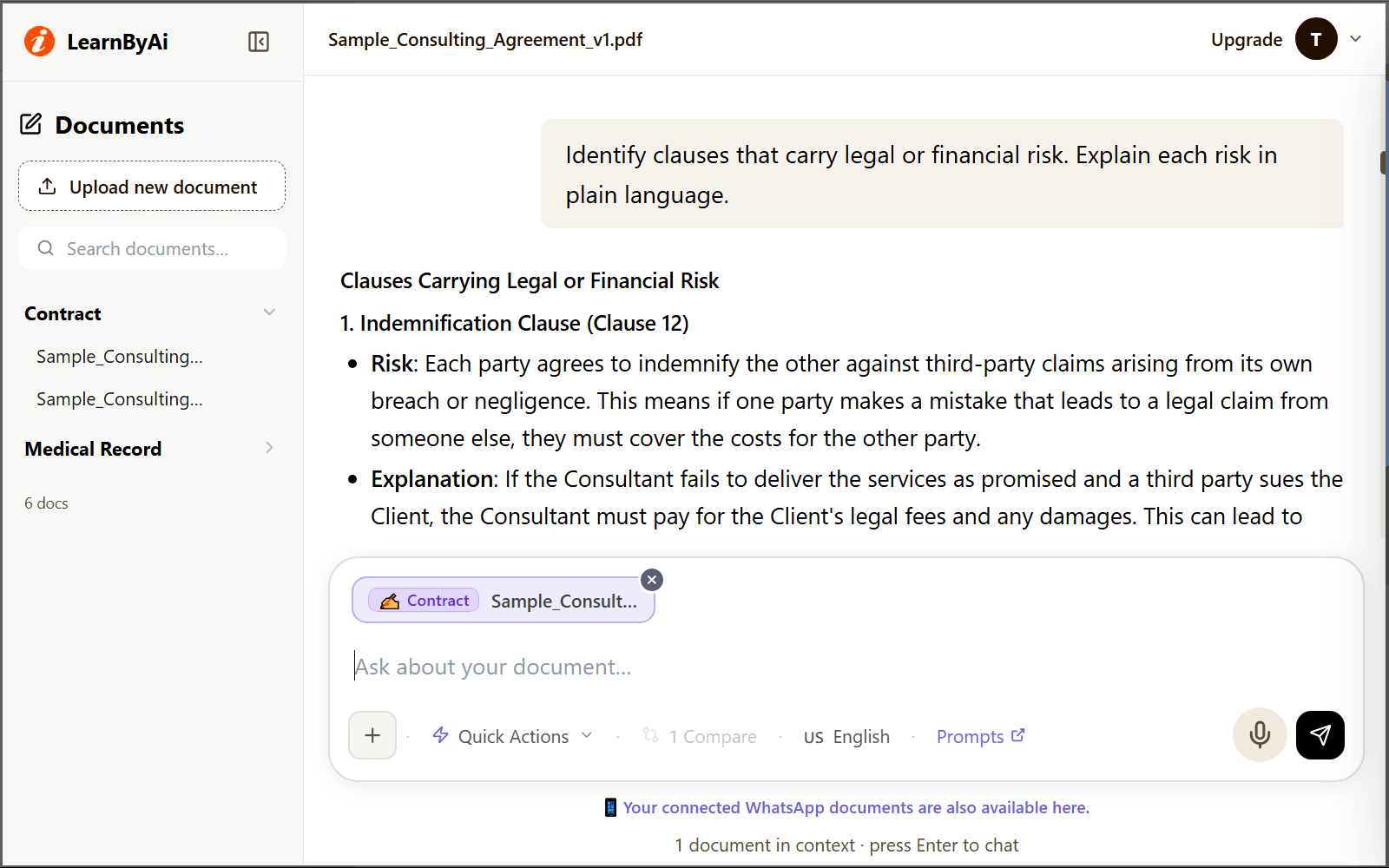
- Ask, summarize, translate. Chat naturally. Ask a question, request a summary, extract the key points, or translate answers into up to 50 languages.
- Export your results. Download summaries, reports, or transcripts as PDF or DOCX, or listen to them as audio.
Step 1: What you can upload
The supported formats cover most documents you will want to analyze. File size limits apply and can vary by plan.
- PDF: Text-based and scanned PDFs, including image-only pages via OCR.
- Word (DOCX): Contracts, reports, resumes, and any standard Word document.
- Excel (XLSX): Spreadsheets with financial data, schedules, or tabular records.
- Images: Photos or scans of documents, processed with OCR to extract text.
- Plain Text (TXT): Transcripts, notes, or any plain-text file.
Step 2: What "private" actually means
When your document is indexed, it's tied to your session or account through an owner identifier. Every query is filtered by that identifier, so other users' requests do not return your content. Your documents are sent to our AI provider only to generate answers. How that data is handled is described in our Privacy Policy.
Steps 3 and 4: What you can do once it's indexed
Once your document is indexed, four things are available from the same chat window.
- Ask direct questions: Ask anything in plain language and get an answer based on the relevant passages of your document, with the source file shown.
- Summarize: Request a one-paragraph summary or a bullet-point breakdown of a chapter, section, or the whole file.
- Translate: Ask a question in one language about a document written in another, and get an answer in the language you asked in.
- Export results: Download any answer as a Word (.docx) or PDF file, or listen to it as audio.
Built for every document type
General Document Chat works with anything, but each of these modes is tuned with field-specific prompts for faster, more precise answers.
Common questions
Do I need to create an account to try it?
No. You can upload a document and start asking questions right away. An anonymous session keeps your document private to your browser. Creating an account just lets you keep your history across visits.
What is the maximum file size?
File size limits apply and can vary by plan.
How long does indexing take?
Most documents are ready to chat with quickly. Very long files, and scanned documents that need OCR, take longer. You can ask your first question as soon as the document is ready.
Can I upload more than one document at once?
Yes. You can upload several files at once. To ask questions across them, or to compare them, add documents of the same type to one chat.
Is there a generic mode if my document doesn't fit a specific category?
Yes. General Document Chat works with any file type and is a good starting point if your document isn't a contract, medical record, HR file, financial statement, construction document, or study material.
What happens to my document after I'm done?
It stays available for as long as your session or account is active, and you can delete it any time from the interface. Full details on storage and deletion are on our Security page.
Ready to try it?
Upload any document and ask your first question. No account required.